Image colour picker
Pick exact colours from a photo or screenshot and get HEX, RGB and HSL codes. Your inputs stay on your device.
LimitsSet up your task
Starting local processing
Ready. Processing stays in this browser.
2 Your result
Downloads are created from local browser memory. Check the result before replacing any original.
How to use Image colour picker
Get the exact colour code from any photo, logo or screenshot. Tap the image to read HEX, RGB and HSL values, and see its main colours as a ready-made palette.
- Choose or paste an image.
- Tap the part of the image whose colour you need.
- Copy the HEX, RGB or HSL code, or use a colour from the palette.
Supported inputs and limits
Tap anywhere on the image to read that colour, and see the image’s main colours as a palette with how much of the picture each one covers. Copy any code with one tap. JPEG, PNG, WebP and BMP up to 40 megapixels. One megapixel is one million picture pixels.
How it works
Tap any part of the picture to read its colour, shown as a swatch with HEX, RGB and HSL codes that you can copy with one tap. HEX codes such as #1D6F42 work in most design tools, websites and office software. RGB gives the red, green and blue values from 0 to 255, and HSL describes the same colour as hue, saturation and lightness, which is handy for making lighter or darker shades.
Below the picture, the palette lists the main colours in the image and roughly how much of the picture each one covers. It is worked out from the whole image, so it is a quick way to pull a colour scheme from a photo, a logo or a screenshot of a website.
Photos and compressed images are never perfectly flat: shadows, lighting and JPEG compression make neighbouring pixels differ slightly. For a brand colour, use the original logo file if you have it, tap the middle of a flat area rather than an edge, and compare a couple of nearby points. The image is read on your device; nothing is uploaded.
Example
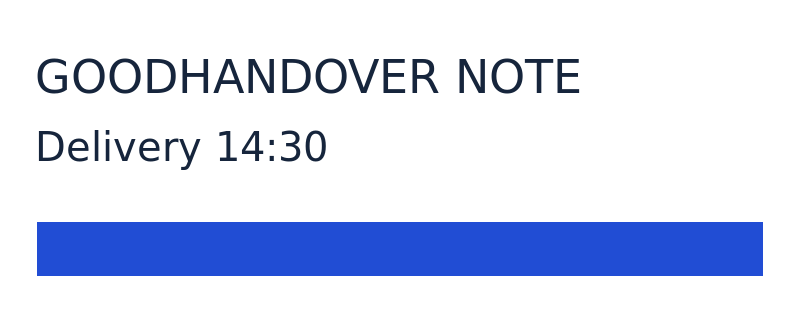
Download the practice image, tap the centre of the blue bar and copy #214DD4. This fixture uses a solid colour, so nearby points on that bar give the same code. In a photograph or JPEG, nearby points can produce different values.
Questions about Image colour picker
Why is the colour slightly different from the original design?
Photos and compressed images change colours slightly. Tap the middle of a flat area, and use the palette for the overall colours.
What is a HEX colour code?
A six-character code such as #1D6F42 that describes a colour. Websites, Canva, PowerPoint and most design tools accept it.
Can I pick colours from a screenshot of a website?
Yes. Paste the screenshot with Ctrl+V or ⌘V and tap the colour you want.
Read Reduce a photo for an upload.
Related tools
Last updated